

Core features
AI Photo Valuation
Not sure what to charge? Snap a photo and AI Photo Valuation suggests a price, writes a ready-to-paste listing, and backs it with real eBay UK market data. It's a Pro feature.
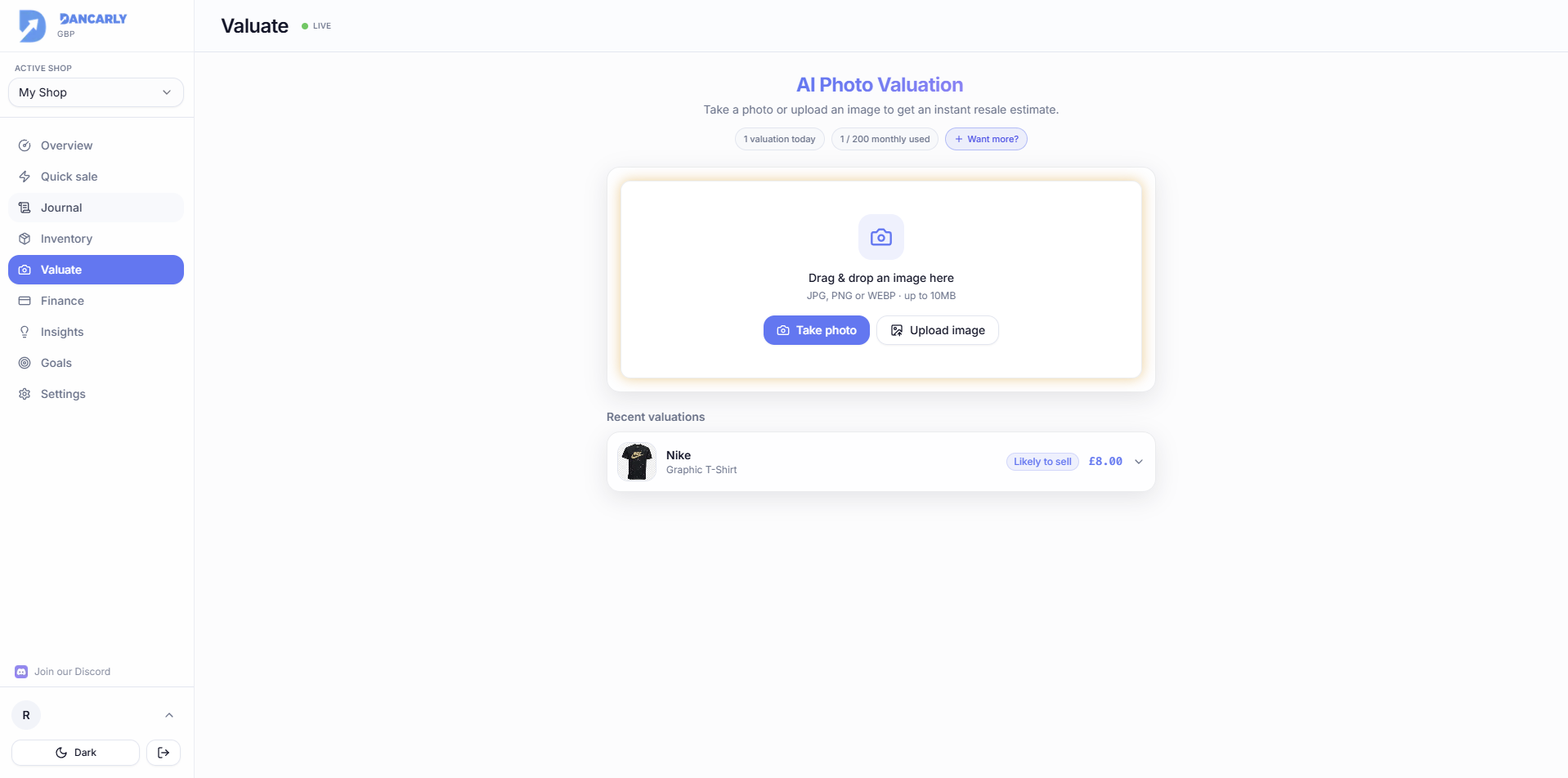
How it works
- 1Take or upload a clear photo of the item.
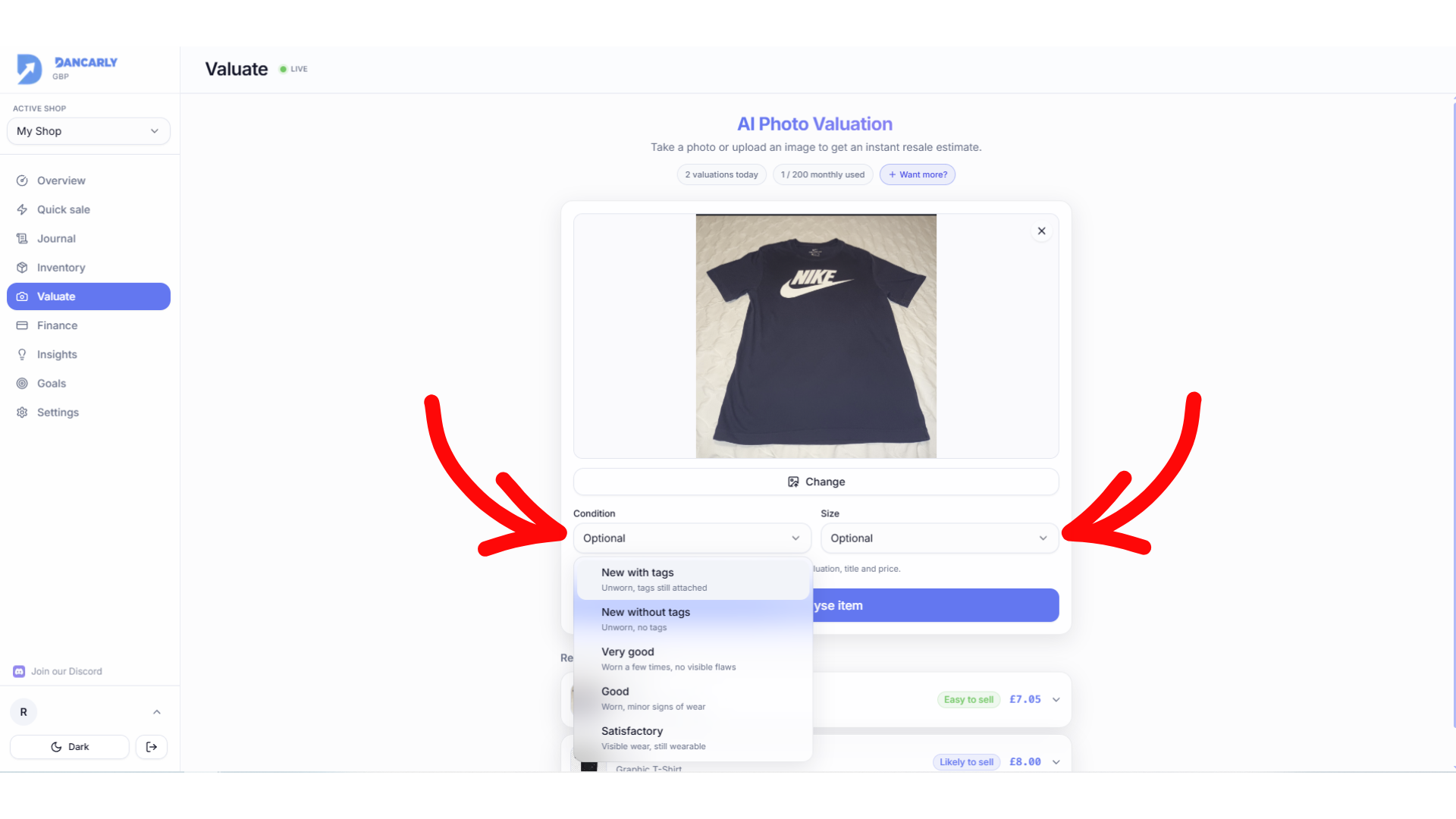
- 2Optionally set the condition and size for a more accurate result.
- 3Dancarly identifies the item, checks live eBay UK listings, and returns a price range with a recommendation.
Condition & size (optional but recommended)
A photo can't tell condition, and condition heavily affects price. Pick a condition (New with tags → Satisfactory) and a size to sharpen the estimate and the listing title.
- Better condition nudges the recommended price toward the higher end of the realistic range.
- Worse condition pulls it lower, so targets stay realistic.
- Condition and size are added to the generated listing title (e.g. “Nike Tee, Good Condition, Size M”).
Reading the result
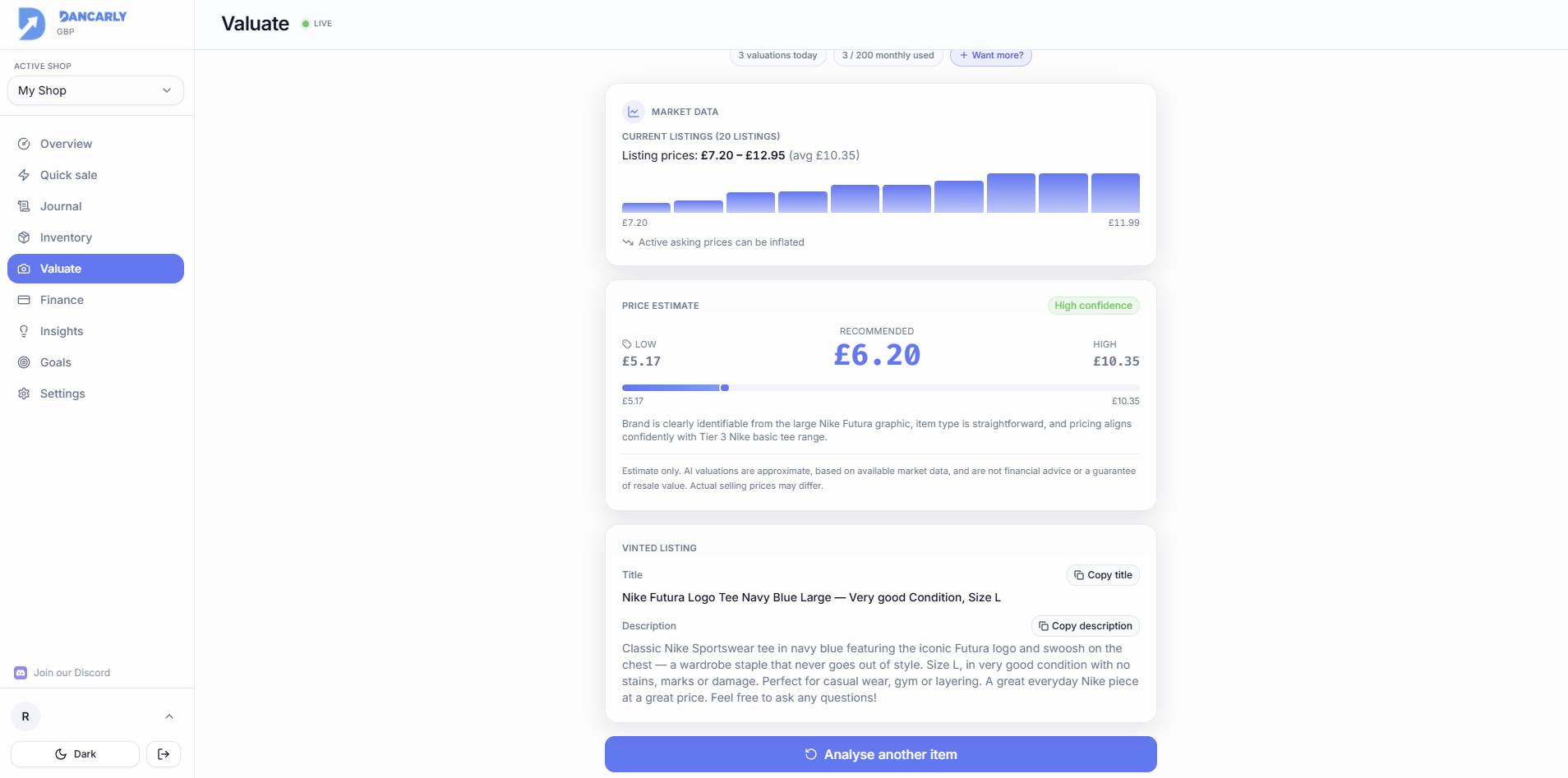
- Market data, the current eBay UK listing range and average. This is informational; asking prices can be inflated.
- Price estimate, the single recommended price (Low / Recommended / High), adjusted for the condition you set.
- Confidence, High/Medium/Low, reflecting how much market data was found.
Estimates only
Valuations are approximate guidance based on available market data, not financial advice or a guarantee of resale value.